This has been a pretty loaded project from inspiration to a CPU based implementation to becoming my first experience with compute shaders. So as you might imagine I’m pretty excited to tell you the story!
Some of the auto-play videos in this article contain flashing lights and rapid colour changes.
The journey starts over a year ago, I was scrolling on YouTube when I encountered a video by Sebastian Lague about making a fluid simulation. Watching that video not once, not twice, but thrice made me really want to make it for myself. Now the style of Sebastian Lague videos are arguably quite unique in the tech space, as the videos feel very technical with pretty visuals and without going into details. The videos really propel me and jump start my motivation. And for that reason I’ve been avoiding watching his videos when I have stuff I need to work on because I know that I’ll want to work on whatever he’s working on.
I’d like to think the reason for this is that the videos show you what the resulting project will look like at the end, but also gives you nice checkpoints. You can’t really make something from following one of his videos, they’re not tutorials. But you can definitely use it as a reference for the general direction. And lucky for us, he never forgets to mention the papers and references that helped him make it. So that was my starting point.
In his video, Simulating Fluids, Sebastian Lague provided 4 different links in the Credits & References section. I, being someone who’d never touched a research paper in his life, opened the first link. It was very overwhelming. But when I looked at it, I could see some formulas and functions which was familiar territory so I zoomed onto those.
I realised, wait! I saw that in the video! This is basically an implementation spec!
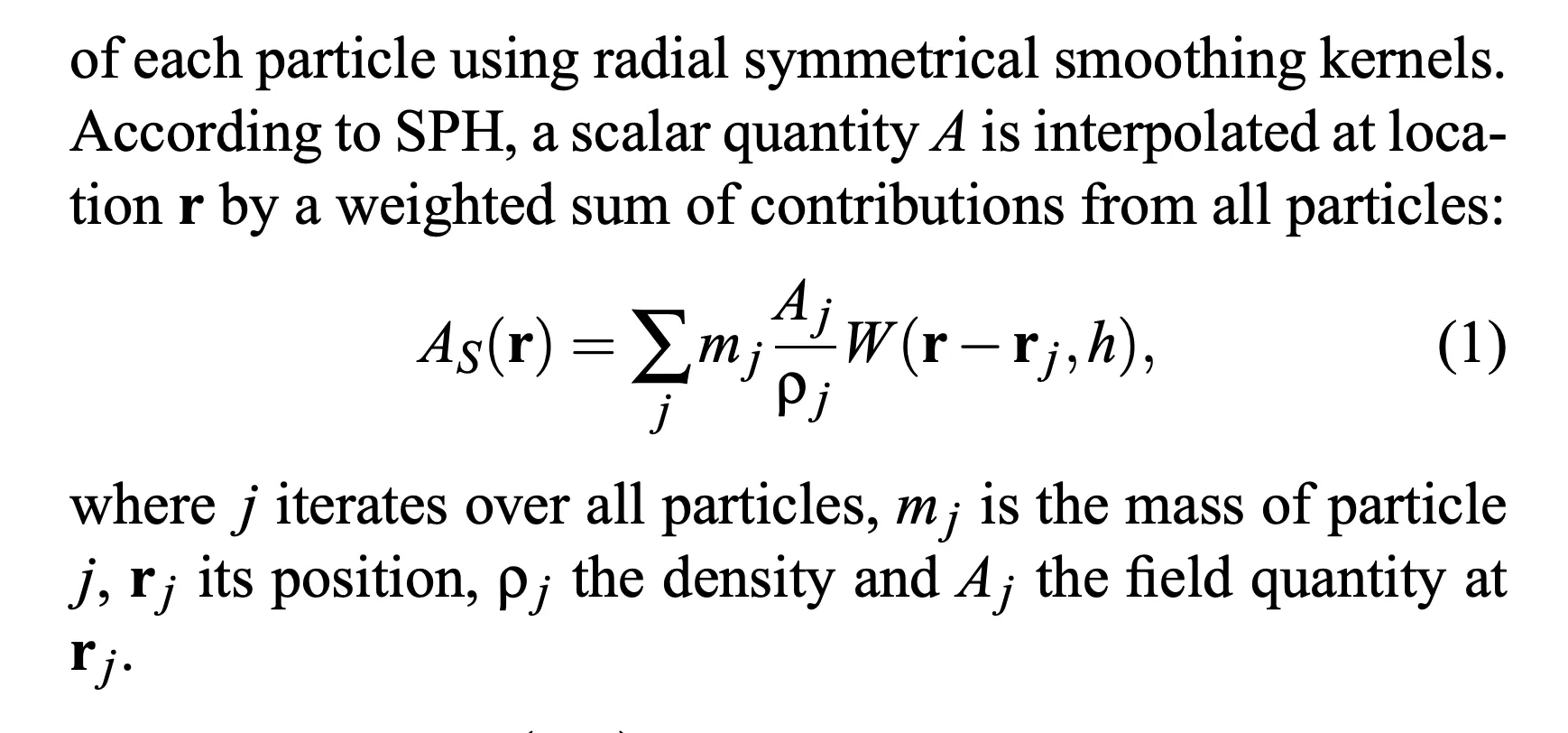
So I got to implementing. I chose Godot as my first victim (oh man, Godot. I wonder how long I can keep linking to that post). I knew I was going to need performance so I decided to use Godot as a rendering engine for my CPU based particle simulation in Rust.
Quickly after implementing this I reached the part of Sebastian’s video where he went “Okay, let’s implement it in compute shaders for performance” and to that I say, WELL SEBASTIAN NOT EVERYONE KNOWS HOW TO COMPUTE SHADER THANK YOU VERY MUCH!
So I scrapped it. I mean, I tried to figure out how to make compute shaders work on Godot but after that I scrapped it.
Fast forward a few months and this part’s a blur of working on games and ray tracers but somehow I got around to making a pure Rust version. The logic was already purely Rust, all I had to do was figure out how to use wgpu. Sounds funny now that I’m very comfortable with wgpu and custom rendering pipelines, in fact at this point I pretty much prefer it over a generic renderer.
After implementing it on the GPU, I decided to copy more from Sebastian Lague and made my own Bad Apple!! visualisation.
The way it works is by creating a force-gradient on each frame that each particle can sample. So every simulation tick we sample each particle’s position to see if it’s inside somewhere it shouldn’t be, if it is, we just push it out. In practice, this isn’t an if/else condition but just following a 2D vector.
This gradient is calculated by figuring out the nearest-valid-pixel, you can try this out in your browser at the top. It should be under Rendering -> Show force field. Try adding some objects and you’ll see!
I think this approach works best for a particle simulation since everything works with forces instead of hard-collisions anyway, and also hard-collisions at 100k particles with arbitrary images doesn’t sound too inspiring.
bugs
Anyway, there isn’t much more to say so here’s some funny bugs and debug visualisations
quote of the century, in my opinion. Found it in a very cropped video showcasing the issue below the image.

here’s what I presume to be a visualisation of chia seeds
and here’s my first attempts at a better visualisation by blurring between the particles.
I don’t know why I felt the need to record this, especially considering it’s just using the same system as the Bad Apple!! video, but here’s a moving circle.
and this is me playing Flappy Bird with fluids
last but not least, recently I’ve tried to pretend this could’ve actually been a proper aero-simulation and threw an i20 at it.
mandatory plug
If you liked this demo and want to support me further, consider donating to my ko-fi but more importantly consider joining my discord server!